

Time:2025.12.01Browse:1
Industrial barcode label printers are specialized devices used in manufacturing, logistics, and retail to print high-quality, scannable barcodes (e.g., UPC, QR codes) on labels for inventory tracking, shipping, or product identification. Precision is critical for these printers—even minor barcode distortion (e.g., blurring, misalignment) can cause scanning failures, leading to inventory errors, shipping delays, or lost revenue. Industrial barcode label printer precision is determined by factors like resolution, printhead quality, media compatibility, and calibration, and it is measured by the printer’s ability to produce barcodes that meet industry standards (e.g., ISO/IEC 15416 for barcode quality).
Resolution is the most fundamental factor affecting precision. Industrial barcode printers have resolutions ranging from 203 DPI (dots per inch) to 600 DPI. 203 DPI is suitable for standard barcodes (e.g., UPC codes on shipping labels) and offers a balance of speed and precision; 300 DPI is ideal for smaller barcodes (e.g., QR codes on small product labels) or labels requiring fine text; 600 DPI is used for high-precision applications (e.g., medical device labels with tiny barcodes or detailed graphics). Higher resolution means more dots per inch, resulting in sharper barcodes with clearer edges—critical for scanners to read the barcode’s “bars” and “spaces” accurately. For example, a 203 DPI printer can print a UPC barcode as small as 1.2 inches wide, while a 600 DPI printer can print the same barcode at 0.5 inches wide without losing precision.
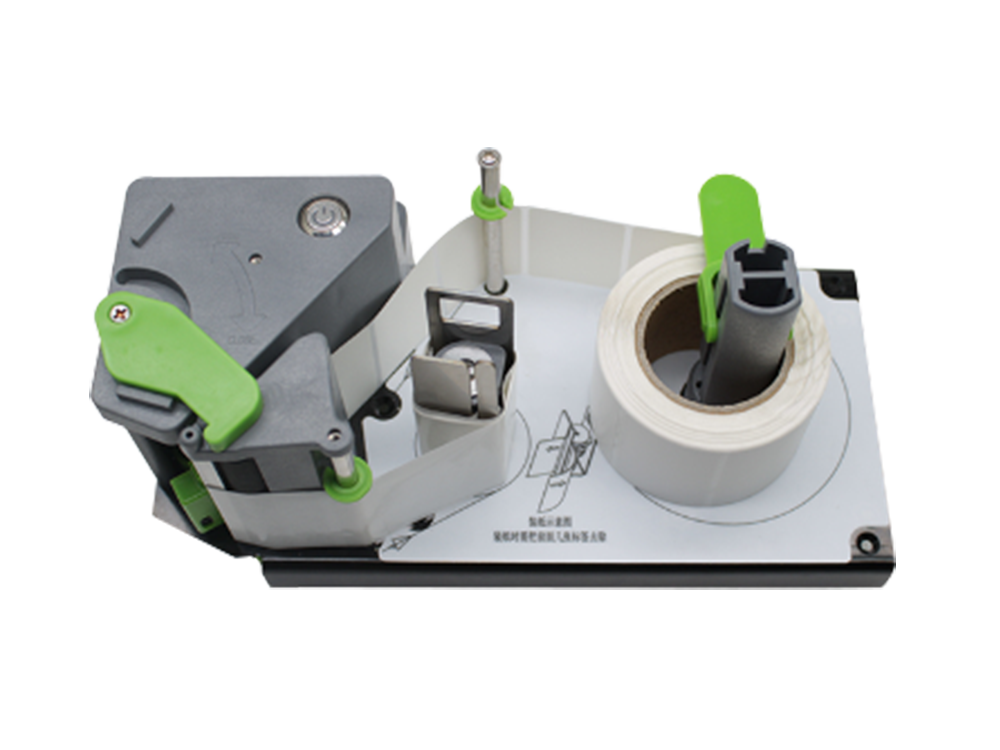
Printhead quality directly impacts precision. Industrial printers use thermal printheads (direct thermal or thermal transfer) with tiny heating elements that create dots on the label. High-quality printheads have evenly spaced, durable heating elements (made of ceramic or metal) that ensure consistent dot size and placement—preventing “missing dots” (which cause barcode gaps) or “overheated dots” (which cause blurring). Printhead lifespan varies by use (2–5 million inches printed) and maintenance—regular cleaning with a printhead cleaning pen (to remove label residue) extends lifespan and maintains precision. Low-quality printheads or worn printheads produce inconsistent dots, leading to barcode scanning failures.
Media compatibility and calibration also affect precision. Industrial printers must work with the label material (e.g., paper, synthetic, waterproof) and ribbon (for thermal transfer printers) to ensure proper ink/heat transfer. Using incompatible media (e.g., thick synthetic labels in a printer designed for thin paper) can cause uneven printing or label jams, reducing precision. Regular calibration (via the printer’s built-in tools) adjusts the printhead pressure, temperature, and speed to match the media—for example, increasing temperature for synthetic labels to ensure ink adheres properly, or adjusting pressure to prevent label wrinkling. Calibration also aligns the label with the printhead, ensuring barcodes are centered and straight.
Industry standards ensure precision is measurable. The ISO/IEC 15416 standard rates barcode quality on a scale of A (highest) to F (lowest), evaluating factors like edge sharpness, contrast, and dimensional accuracy. Industrial barcode printers are calibrated to produce Grade A or B barcodes (required for most retail and logistics applications), as Grade C or lower barcodes may fail to scan. To verify precision, users can use a barcode verifier (a device that scans the barcode and assigns an ISO grade) to check prints regularly. By prioritizing resolution, printhead quality, media compatibility, and calibration, industrial barcode label printers deliver precise, scannable barcodes that keep business operations running smoothly.
Read recommendations:





Building C, Bairongda, Ma'anshan, Bao'an District, Shenzhen City, Guangdong Province
Tel:18823301751
Service Hotline:400-008-8930















 2024-06-20