

Time:2025.12.02Browse:1
Technical and Application Analysis of Rechargeable Battery-Powered Thermal Shipping Label Printers
1. Basic Definition and Core Functions
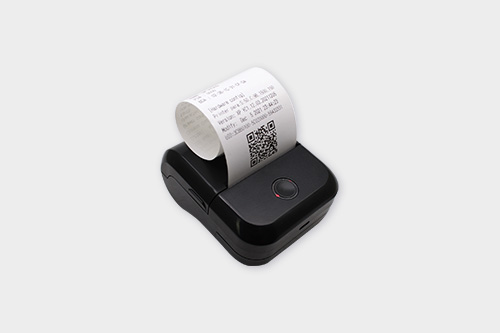
A rechargeable battery-powered thermal shipping label printer is a portable printing device that relies on thermal printing technology and rechargeable batteries for power supply. Its primary function is to generate shipping labels required in logistics and transportation scenarios, including essential information such as recipient addresses, sender details, waybill numbers, barcodes, and QR codes. Unlike traditional wired thermal printers, it eliminates dependence on AC power sources, enabling flexible label printing in outdoor environments (such as delivery vehicles, warehouse yards, and temporary distribution points) and improving the efficiency of on-site logistics operations.
2. Core Technical Characteristics
2.1 Thermal Printing Technology Advantages
The printer adopts direct thermal printing technology, which uses a thermal printhead to heat thermal-sensitive label paper, resulting in image and text formation without the need for ink cartridges, toner, or ribbons. This not only reduces consumable costs but also minimizes maintenance requirements—users only need to replace thermal label paper regularly. Typical printhead resolutions range from 203 dpi to 300 dpi; 203 dpi is sufficient for most standard shipping labels (supporting clear barcode scanning), while 300 dpi is suitable for high-precision scenarios (such as labels with dense text or small QR codes). Print speeds generally fall between 50 mm/s and 100 mm/s, allowing for the printing of a standard 100 mm×150 mm shipping label in 1.5 to 3 seconds.
2.2 Rechargeable Battery Performance
Battery capacity is a key factor affecting portability and usability, with common specifications ranging from 2000 mAh to 5000 mAh. Under typical usage conditions (printing 10 labels per hour, with each print cycle lasting 2 seconds), a 2000 mAh battery can support approximately 500 to 800 label prints on a single charge, while a 5000 mAh battery can extend this to 1200 to 1500 prints. Most models support fast charging via USB-C interfaces, with 0 to 80% charge achievable in 1.5 hours and full charge in 2.5 to 3 hours. To ensure long battery life, advanced models incorporate battery protection mechanisms, including over-charging, over-discharging, over-current, and over-temperature protection, which help maintain stable performance even in extreme temperature environments (-10°C to 45°C).
2.3 Portability and Durability Design
In terms of weight and size, most devices weigh between 500 grams and 1.5 kilograms, with dimensions around 150 mm×100 mm×80 mm—compact enough to fit in a standard logistics backpack or delivery bag. For durability, the outer casing is often made of impact-resistant ABS or PC plastic, and many models pass 1.2-meter drop tests (falling onto concrete surfaces) without damage to internal components. The printhead is protected by a retractable cover or reinforced baffle to prevent scratches during transportation or storage, extending its service life (typically 500,000 to 1 million prints).
2.4 Compatibility and Connectivity
Label width compatibility covers the most common sizes in logistics, from 20 mm (for small parcel labels) to 100 mm (for standard shipping labels), supporting both continuous label rolls and die-cut individual labels. In terms of connectivity, Bluetooth (Bluetooth 4.2 or later) and WiFi (2.4 GHz band) are standard features, enabling wireless connection to smartphones, tablets, or laptops—users can send print commands directly from logistics management apps without physical cables. Wired connectivity via USB 2.0 or USB-C is also available for scenarios requiring stable data transmission. The device supports multiple operating systems, including Windows, iOS, and Android, and is compatible with mainstream logistics software (such as shipping management platforms and warehouse inventory systems) to realize seamless integration of data and printing.
3. Typical Application Scenarios
3.1 E-Commerce Logistics and Last-Mile Delivery
In last-mile delivery, couriers can use the printer to generate shipping labels on-site at pickup locations (such as residential buildings, office parks, or convenience stores), eliminating the need to pre-print labels at distribution centers. This is particularly useful for handling return labels—couriers can print return labels immediately based on customer return requests, reducing waiting time and improving customer satisfaction. For e-commerce platforms with decentralized warehouses, the printer enables warehouse staff to print labels directly next to goods shelves, streamlining the picking and packing process.
3.2 Warehouse Inventory and Inbound/Outbound Management
During warehouse inbound operations, staff can print goods receipt labels immediately after verifying incoming goods, attaching them to packages to facilitate subsequent storage and inventory checks. For outbound operations, the printer can be used with mobile scanning devices: after scanning the goods’ barcode to confirm the order, the printer automatically generates a shipping label, ensuring accurate matching between goods and orders and reducing shipping errors. In cross-docking warehouses (where goods are transferred directly from inbound to outbound without storage), the printer’s portability allows for real-time label printing, accelerating the transfer process.
3.3 Cross-Border Transportation and Customs Declaration
Cross-border shipping requires labels containing customs declaration information (such as HS codes, declared value, and origin). The printer supports the printing of multi-language labels (including English, Chinese, and local languages of destination countries) and can integrate with customs declaration systems to automatically import declaration data into labels. This ensures that labels meet the requirements of customs in different countries, avoiding delays caused by incorrect or non-compliant labels. For international freight forwarders, the printer enables on-site label printing at ports or airports, adapting to the dynamic scheduling of cross-border shipments.
3.4 Temporary Logistics Operations and Emergency Scenarios
In temporary logistics scenarios (such as disaster relief material distribution, large-scale event logistics, or pop-up stores), the printer’s battery-powered design allows it to operate without access to AC power. For example, during disaster relief, relief workers can print material distribution labels on-site to track the flow of relief supplies; at large events (such as concerts or exhibitions), the printer can generate visitor package labels or staff logistics labels to manage on-site material distribution.
4. Usage and Maintenance Guidelines
4.1 Battery Maintenance
To extend battery life, avoid over-charging (do not leave the printer connected to power for more than 24 hours after full charge) and over-discharging (charge the battery promptly when the low-battery indicator is on, as deep discharge can damage battery capacity). If the printer is not used for an extended period (more than 1 month), charge it to 50% to 70% of capacity and store it in a dry environment (humidity 30% to 60%) at room temperature (15°C to 25°C).
4.2 Printhead Care
The printhead is a critical component; regular cleaning is essential to maintain print quality. After every 500 prints, turn off the printer, open the printhead cover, and wipe the printhead surface gently with a clean, lint-free cloth dampened with isopropyl alcohol (do not use water or harsh chemicals, which can damage the printhead). Avoid touching the printhead with sharp objects (such as scissors or fingernails) to prevent scratches. If the print quality deteriorates (such as blurry text or incomplete barcodes), check the printhead for dirt or wear and replace it if necessary (printheads typically need replacement after 500,000 to 1 million prints).
4.3 Label Loading and Selection
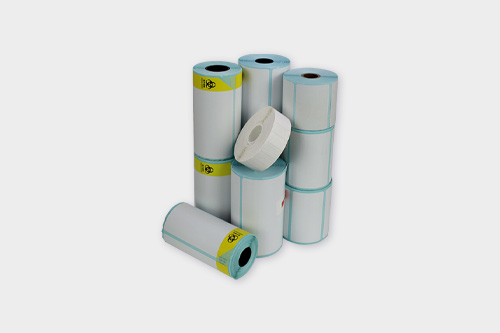
When loading labels, ensure the thermal side of the label paper faces the printhead (refer to the printer’s user manual for guidance) to avoid blank prints. Use high-quality thermal label paper with a smooth surface and appropriate thickness (typically 60 μm to 120 μm); low-quality paper may cause paper jams or leave residue on the printhead, affecting performance. Do not use non-thermal label paper, as it cannot form images with thermal printing technology and may damage the printhead.
4.4 Troubleshooting Common Issues
Paper Jams: Turn off the printer, open the label compartment, gently pull out the jammed label paper (do not pull forcefully to avoid tearing), check for debris in the compartment, and reload the label roll correctly before restarting.
Blurry Prints: Clean the printhead first; if the issue persists, check if the label paper is compatible (ensure it is thermal paper) or if the printhead is worn (replace if necessary).
Battery Not Charging: Verify that the charging cable and adapter are functioning properly; if the battery still does not charge after replacing the cable/adapter, the battery may need replacement (contact professional maintenance personnel).
Wireless Connection Failures: Ensure Bluetooth/WiFi is enabled on the connected device, check if the printer is within the wireless signal range (typically 10 meters for Bluetooth, 50 meters for WiFi in open areas), and restart both the printer and the connected device if necessary.
5. Technical Development Trends
5.1 Enhanced Battery Technology
Future models will adopt higher-energy-density battery materials (such as lithium-polymer batteries with improved energy density) to increase capacity while reducing weight—for example, a 3000 mAh battery may support 1500+ label prints. Fast-charging technology will also advance, with 0 to 100% charge achievable in 1 hour or less. Additionally, solar charging panels may be integrated into the printer’s casing, allowing for supplementary charging in outdoor environments with sufficient sunlight, further extending battery life.
5.2 Improved Printing Efficiency and Quality
Printhead technology will evolve to support higher resolutions (such as 600 dpi) for scenarios requiring ultra-clear labels (such as high-end product shipping or medical logistics). Print speeds will increase to 150 mm/s or more, enabling faster label production in high-volume logistics operations. Anti-smudge and waterproof thermal label paper will become more common, ensuring labels remain legible even in humid or rainy environments.
5.3 Intelligent and Connected Features
Integration with the Internet of Things (IoT) will enable remote management of printers—users can monitor battery status, print count, and printhead health in real time via cloud platforms, and receive maintenance alerts (such as "printhead needs cleaning" or "battery replacement required") to prevent unexpected downtime. NFC (Near Field Communication) technology may be added, allowing for one-touch pairing with NFC-enabled devices, simplifying the connection process. Some models may also incorporate AI-powered barcode/QR code verification, automatically checking if labels are scannable and correcting printing errors in real time.
5.4 Environmental Protection and Sustainability
Manufacturers will use more recyclable materials (such as recycled ABS plastic for casings) to reduce environmental impact. Low-power consumption designs will be optimized, with automatic sleep modes (activating after 5 minutes of inactivity) and energy-efficient printheads to minimize power usage. Additionally, modular designs will become more prevalent—components such as printheads and batteries can be replaced individually, reducing the need to discard entire printers when parts fail, and promoting resource reuse.
Read recommendations:





Building C, Bairongda, Ma'anshan, Bao'an District, Shenzhen City, Guangdong Province
Tel:18823301751
Service Hotline:400-008-8930














 2024-08-15